Magnesia is a NotebookLM alternative built for deep, continuous research conversations with documents, source views, notes, citations, context control, and BYOK usage.
Magnesia is a NotebookLM alternative built for deep, continuous conversations. It lets users chat with documents, view sources side-by-side, take notes, and control context precisely in one research workspace that remembers the conversation.
The product was built around a specific pain point: NotebookLM is strong at analyzing documents, but it does not provide the kind of real, multi-turn chat experience that deep research often needs. Magnesia combines document analysis with conversational intelligence so researchers can build on prior insights instead of starting over with every isolated question.
How Magnesia Works
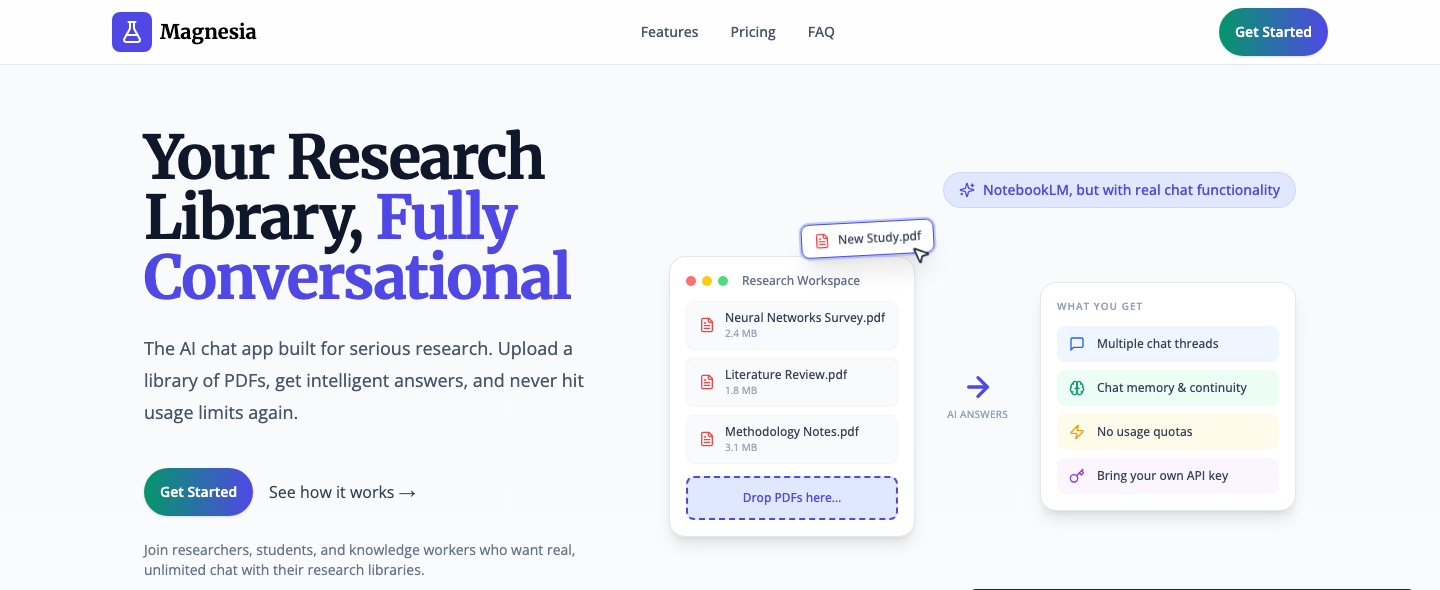
Users can upload PDFs and source documents, ask questions, and explore their material through natural, continuous conversations. Magnesia supports multiple chat threads, chat memory and continuity, side-by-side source viewing, and inline citations that jump directly to the exact source location.
The workspace also includes markdown notes for capturing insights. Those notes can be mentioned as context in later conversations, helping researchers preserve ideas and reuse them across related questions. Users can choose which documents to include in each question, add images or PDF pages for visual analysis, and tune RAG parameters to match their workflow.
Key Features of Magnesia
Complete chat-first research workspace: Maintain continuous research conversations instead of isolated one-off chats.
Smart context control: Choose which documents, notes, images, or PDF pages should be included in each question.
Professional citations: View source documents side-by-side and use inline citations to jump to exact locations in the source material.
Integrated notes: Capture markdown notes and reuse them as context in future conversations.
BYOK usage model: Bring your own API key to control costs and avoid arbitrary subscription usage limits.
Frequently Asked Questions
Who is Magnesia for?
Magnesia is designed for graduate students, researchers, professionals, and knowledge workers who need serious document-based research conversations.
How is Magnesia different from NotebookLM?
Magnesia focuses on real chat functionality, multi-threaded conversations, memory across turns, and a research workspace that supports source views, notes, citations, and precise context control.
Can Magnesia work with PDFs and research documents?
Yes. The product is built around uploading PDFs and documents, asking questions, viewing sources, and using citations to connect answers back to source material.
How does pricing work?
Magnesia uses a one-time purchase plus BYOK model. The site currently highlights an early-bird price of $39 and bring-your-own-key usage for ongoing AI costs.
XX.AI offers a simple and cost-effective solution for unlimited access to GPT-4, Claude 3, and DALL-E 3. With essential shortcuts like Shift + A for instant activation, you can harness the power of AI in any writing or content creation task.
Xero is cloud accounting software for small businesses, with an AI agent called JAX, bank reconciliation, invoicing and Smart Document Capture. US plans start with Early at $27 a month after an introductory discount.
QuickBooks Online is Intuit's cloud accounting software for small businesses, with AI features under the Intuit Intelligence name that vary by plan. A limited Free plan exists; Simple Start lists at $38 a month after any promotion.
Grammarly checks and rewrites writing inside email, documents and browsers, with tone adjustment and AI text generation. The free plan includes 100 AI prompts a month; Pro is $30 a month billed monthly or $12 a month billed annually.
Google Workspace bundles Gmail, Docs, Sheets, Drive, Meet and Calendar for businesses, with Gemini built into the apps on Business Standard and above. A 14-day trial is offered; check the pricing page for current per-user prices.