
A documentation-based review of GoEnhance AI for video generation, video transformation, enhancement, image creation, and creator workflows.

Automatically generate short-form videos to grow your business with AI
Cinematic automatically creates trending social-media videos for you or your brand with AI. Trends on TikTok, Instagram Reels, and more are always changing. With Cinematic, you can stay on top of the trends and automatically create videos that are more likely to increase views and your following.

To start:
1. Optionally input your website. Cinematic will pull in all of your fonts, colors, and understand your business.
2. Add any photos or videos you may have. Cinematic automatically indexes and analyzes these photos or videos to best use them in your video creations.
3. Select from trends or create with a text prompt.
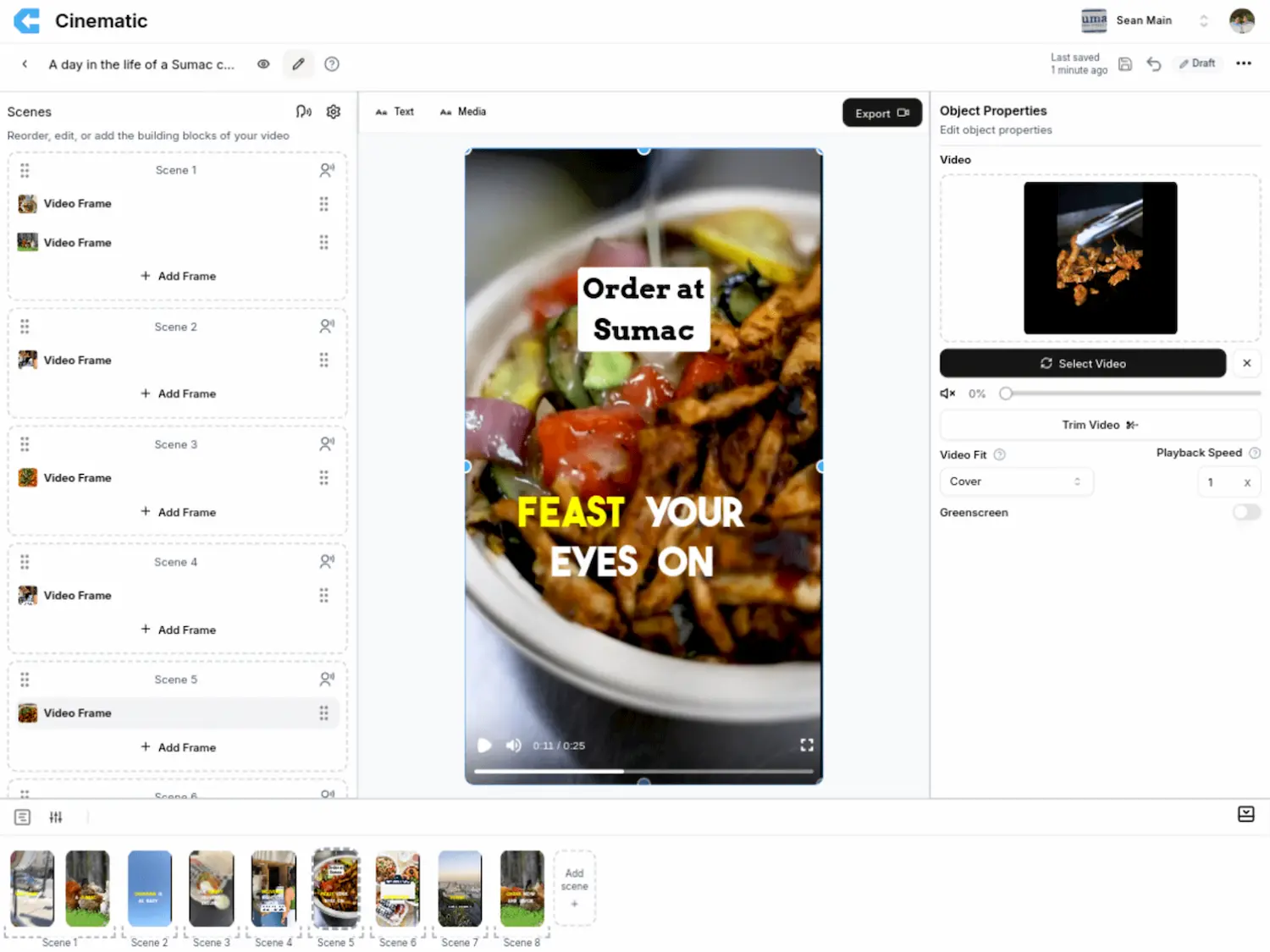
4. Edit your videos in a Canva-like editor designed for everyday people, not video pros. Add voiceovers, stock media, and more.
The traditional process of making social media videos takes a ton of time. With Cinematic, greatly reduce the video creation time and become more consistent across your socials, and start to reap the results.
Cinematic allows you to export your videos to MP4 in 1080p resolution - perfect for posting on social media platforms.
The Cinematic video creation engine constantly adapts to changing social media trends to ensure your video has the highest chance of going viral. From trending sounds to trending styles of videos, let Cinematic study how to be successful on social media so you don't have to.
Of course! Using the Cinematic video editor you can tweak your creation until it's perfect. But don't worry - no need to be an expert editor.
| Pricing model | Freemium |
|---|---|
| Free tier | Not verified |
| Starting price | Not verified |
| Data residency | Not verified |
| Compliance (as stated by vendor) | Not verified |
| Integrations | Not verified |
| Public API | Not verified |
| Self-hostable | Not verified |
| Official site | Online (auto-checked 2026-10-20) |
| Last verified | not yet |
A documentation-based review of GoEnhance AI for video generation, video transformation, enhancement, image creation, and creator workflows.

Image To Video AI Free - Transform Images into Videos

Create Videos from Photos | Free Picture Video Converter Online

Dreamina is a web platform for generating images, video and talking avatars, with the Seedance video models. It offers free daily credits; subscription prices could not be read on the official pricing page.

Colossyan makes training videos and courses with AI presenters, voiceovers and interactive quizzes, with SCORM export for LMSs. A free Starter plan needs no card; Professional is shown at $59 a month on yearly billing.

PixVerse is an AI video generator with image-to-video and text-to-video on web, iOS, Android and an API. Consumer plan prices and free credits were not shown on the official homepage.
Need the outcome rather than the software?